


Breakfast & After School Club Management For Pupils.
Custr helps breakfast and after school clubs securely check pupils in and out each day, giving schools a clear, real-time view of who is on site. When safety matters most, staff have accurate records at their fingertips to respond quickly and with confidence.

Trusted by thousands of education sites.




Quick & accurate check-in for all clubs.
Pupils can securely check in using an iPad, creating a simple and efficient process for every club. All data is kept private and protected, while integration with your MIS automatically updates pupil lists every 24 hours, ensuring records are always accurate and up to date.

Flexible club management for every session.
Get full control with flexible management tools that let you create unlimited before and after school club sessions. Set custom check-in windows for each session and add tailored questions, giving you complete oversight and ensuring every club runs smoothly and efficiently.
Accurate on-site visibility for every club.
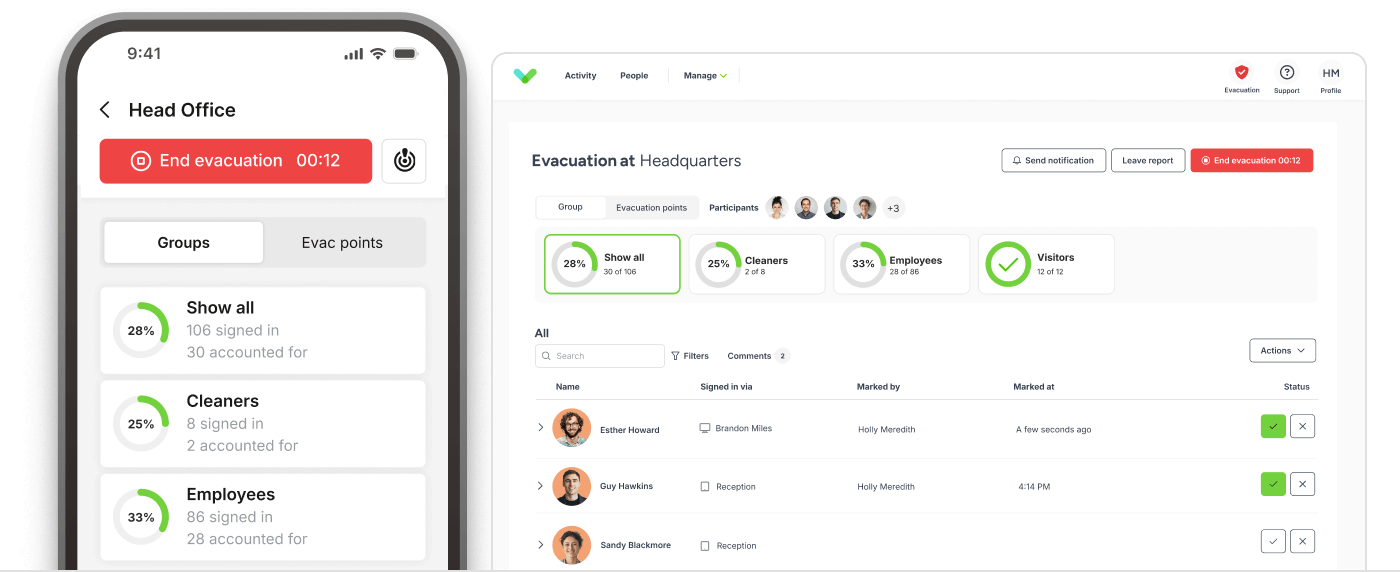
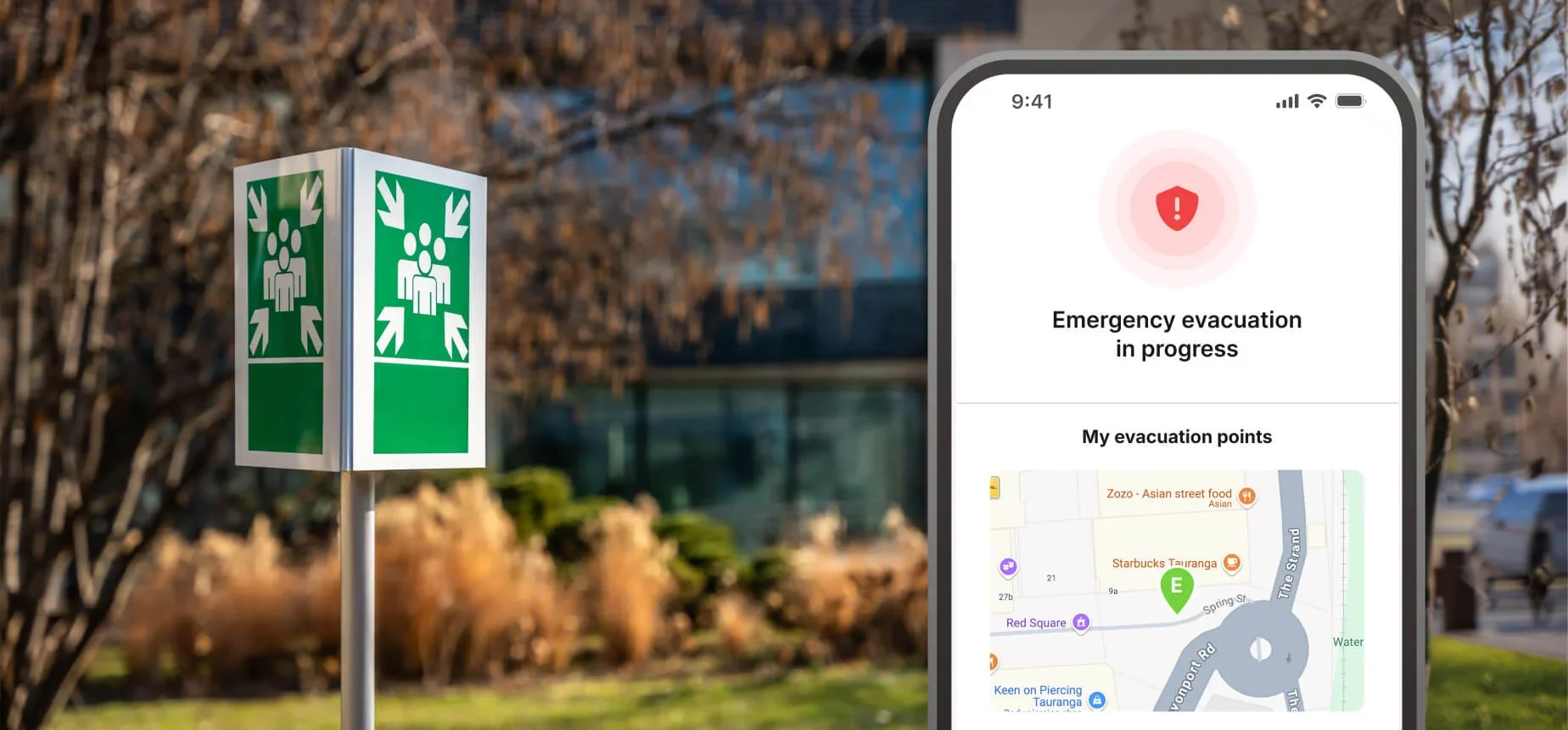
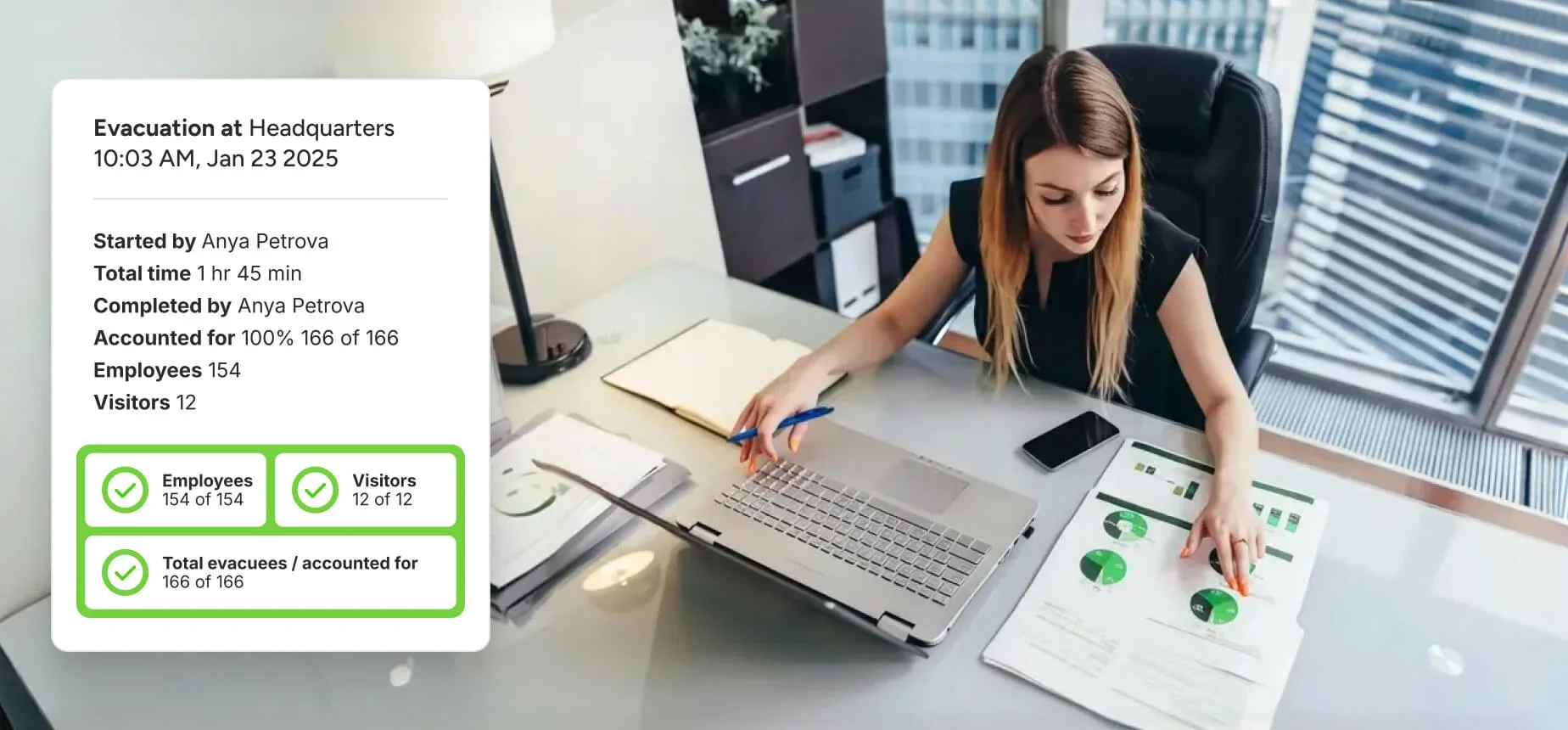
Keep a clear, up-to-date record of everyone on site outside of school hours, supporting both fire drills and on-site security. With Custr, staff can instantly access a live list of all pupils and attendees, ensuring a reliable evacuation register is always ready when it’s needed most.
Other features.

Visitor Categories
Create custom visitor categories for an smoother check in process. Set up time based categories that only appear during relevant hours to help organise your visitor check ins.

Document Signing
Include important documentation that guests can read and sign when they arrive. Your documentation, such as disclaimers, can be readily accessed and digitally signed.

Pre approve & invites
Streamline visitor management by adding pre approving visitors to your dashboard. Add their details into the system ahead of time for a quicker and more secure check in process.

Reporting
Generate and export reports that offer insightful information about staff and visitor data. For better operational control and security, keep track of all host details.

Full Branding
Customise your check-in system with your company branding, logos and colours. Deliver a personalised check in experience for visitors that reflects your office identity.

Notifications
Stay informed with automated notifications whenever a visitor arrives or leaves. Administrators and staff can customise the notifications to make it personal for your office.

Full Dashboard Tools
Custr offers a convenient and comprehensive dashboard for managing visitor and staff check ins. View statistics and export any check-in data if required.

Staff Attendance
Easily manage and track your staff attendance with Custr. Access detailed attendance logs, monitor patterns, and export individual records for thorough reporting.
Custom Questions

Create custom check-in questions for your visitors, contractors and staff. This helps you improve your safeguarding by ensuring you have all the accurate information needed.
Improving club management for all schools.

Single site workplaces
Replace paper visitor books with a digital system for a smoother and more secure check-in process. Create accurate visitor records, enhance site visibility, and offer a professional welcome at every entrance.

Primary & secondary education
Digitally check-in contractors and collect required documents on arrival. Ensure site records stay complete, forms are signed, and compliance is maintained from entry through to check-out.

Multi-tenated buildings
Easily track staff attendance with flexible check-in options and real-time updates. Use the built-in rota to manage shifts, maintain accurate logs, and support workplace oversight with minimal admin effort.

Care & nursing homes
Log late arrivals and absence reasons using a digital check-in system. Sync data with your MIS to reduce admin, keep records consistent, and improve visibility across the school day.
Frequently asked questions.
-
Your data is hosted on our private cloud server using our partner Digital Ocean. The private cloud server is based in the EU and meets all ISO and data security guidelines. For more information on Digital Ocean, please visit their website.
-
Your data is encrypted at rest by default which is part of our ISO accreditation. Data is also transmitted between device and server via an encrypted channel ensuring data security.
-
With e-Reception Book, you have the control to manage the duration for which your visitor and staff check-in records are kept. We offer the capability to set an automatic data retention period for your e-Reception Book data, giving you full control over the length of time your check-in history is stored.
This feature ensures that your records are maintained for the exact period you require, in accordance with your specific data retention policies or compliance needs, enhancing both the organisation and security of your data management.
-
e-Reception Book acts as your data processor for visitor data. Our responsibilities include ensuring your data is secure, providing transparency around where the data is stored and providing features to allow you to control your data in line with your GDPR policies.
You have full control over your data including retention periods and select data deletion. Emails that are sent from the system to visitors also contain unsubscribe links, ensuring that they have full control over messages they receive.
-
ISO 27001 is a specification for an information security management system (ISMS) as defined by the International Organisation for Standardisation (ISO).
It’s a framework of policies and procedures that includes all legal, physical and technical controls involved in an organisation's information risk management processes. View our ISO27001 certificate here.
-
After conducting a comprehensive and meticulous audit of our procedures and frameworks, in collaboration with one of the leading institutions – BSI (British Standards Institution), we are proud to announce that we have achieved the ISO/IEC 27001 accreditation.
This prestigious international standard recognises our commitment to information security, reflecting our dedication to maintaining the highest standards in protecting and managing information.
-
Absolutely! Please see our submission right here. The Data Security & Protection Toolkit is an online self-assessment tool that enables organisations to assess their adherence to the National Data Guardian's 10 data security standards.
In the United Kingdom, every organisation with access to patient data and systems is required to complete the NHS Data Security & Protection Toolkit. This ensures they maintain high standards of data security and handle personal information with utmost care.
-
We are continuously implementing new functionalities to assist you in overseeing the privacy and security of your staff and visitors. Should you need further details, do not hesitate to reach out to us at support@mediabasedirect.com.
-
e-Reception Book is a cloud-based platform, meaning your employee records, visitor data, and signed documents are all encrypted and stored on our secure servers. This means your data is easy to access, gets regularly backed up, and stays secure.
You can use e-Reception Book from anywhere, anytime, making it perfect for managing multiple locations through one company account.
-
e-Reception Book can still be used if you're not connected to Wifi. If your iPad is disconnected from a network connection, visitors can continue to check in, and their data will be stored locally on the device. Once the iPad is reconnected to a network, all locally stored visitor data will sync to your e-Reception Book dashboard.
-
e-Reception Book can only access customer accounts when assisting with technical issues.
For more information, please read our full privacy policy.
Request more information.
We’d love to hear from you. Our business development team is here to help and happy to assist with any enquiry about our solutions or how we can support your workplace.
Just complete the form below and we’ll get back to you as soon as possible. If you prefer, you can also contact us directly on 01489 336390.