
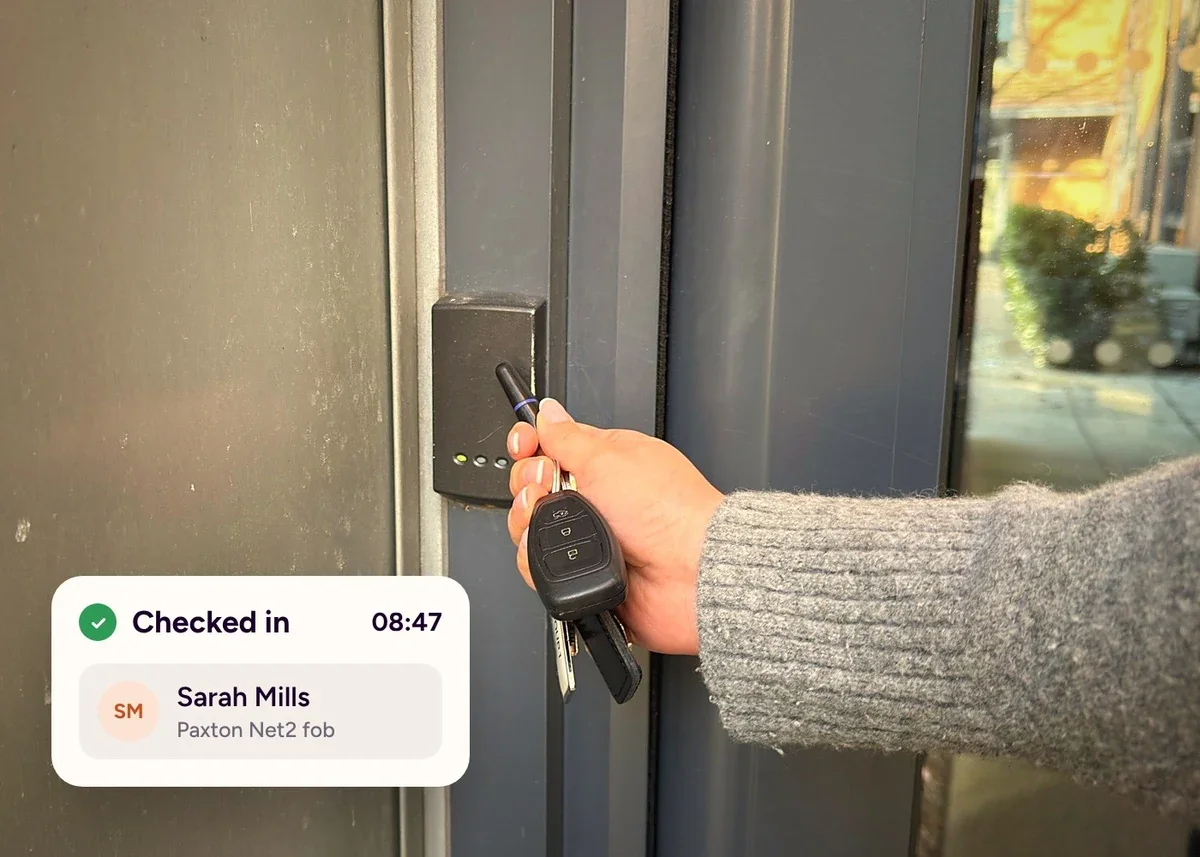
As we approach the end of the year, we wanted to share two of our most requested integrations that are now available: Paxton Net2 and Microsoft Teams.
We're also giving you a first look at three things coming soon to Custr: Geofencing, Custr Forms and Custr Central Record. These are a few of the highlights from our product roadmap.
Live now · Custr Check-In
Paxton Net2 integration.
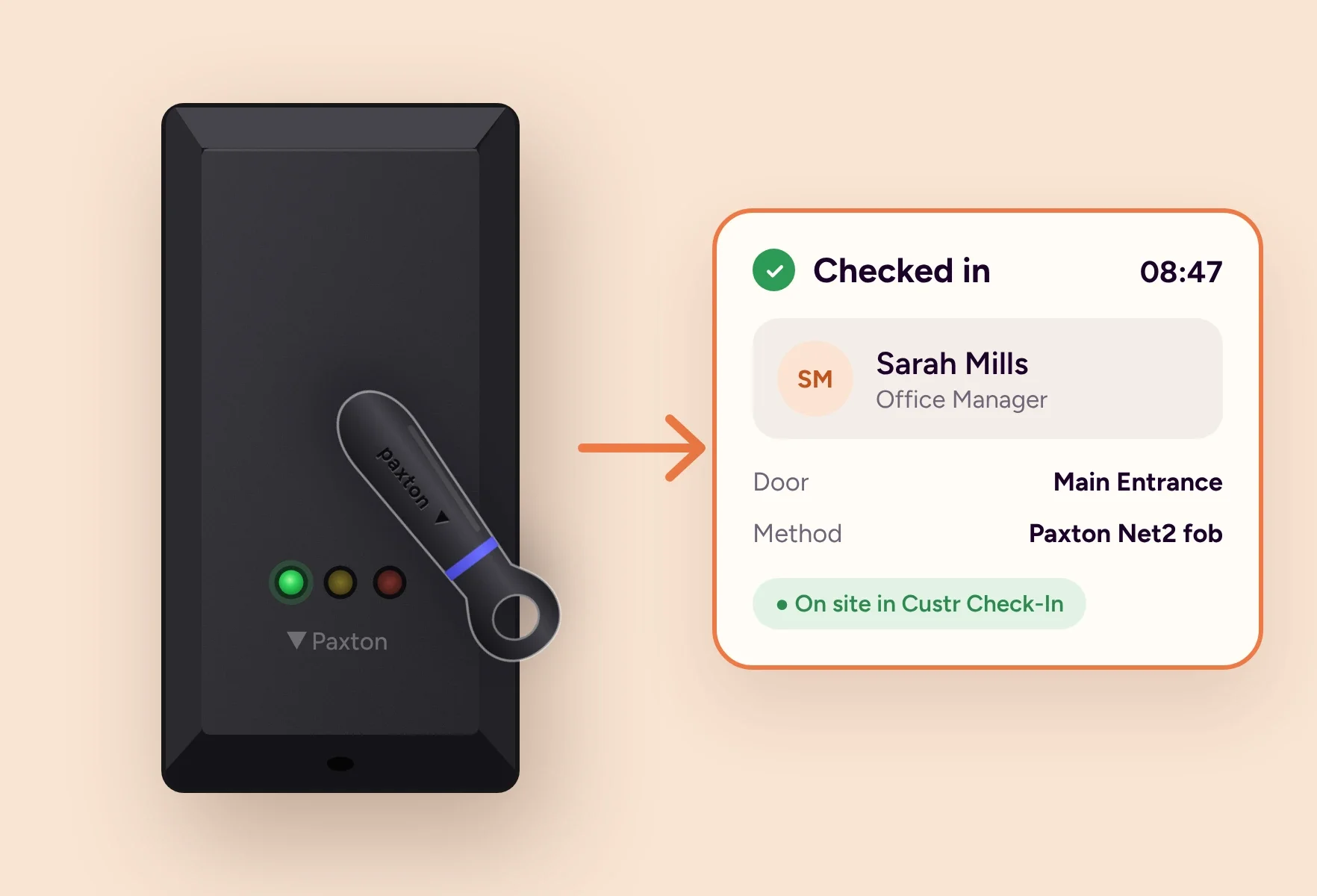
If your site uses Paxton Net2 access control, your staff already tap a fob every time they come and go. Now that same tap checks them in and out of Custr Check-In, so attendance takes care of itself.
It works with the system you already have. Custr only reads door activity, so your Paxton users, fobs and permissions stay exactly as they are.
Why it matters for your site
For reception, there's no more chasing staff who forgot to check in, or tidying up missed check-outs at the end of the day. The team can focus on visitors instead of the attendance list.
For safety, an accurate list of who is on site is what you rely on in an evacuation. When check-in happens at the door, your Safety Roll Call shows who is actually in the building, not just who remembered to use the tablet.
For managers, attendance records are complete without any extra admin. If a record is ever queried, the Paxton audit log shows exactly when someone tapped in or out, and why.
For staff, nothing changes. They tap their fob as they always have, with no queue at the reception tablet at busy start times.
Nothing new for staff to learn
No queues at the reception tablet
Fewer missed check-ins and check-outs
A more accurate fire roll call
Your Paxton setup stays as it is
A clear record if attendance is questioned
Paxton Net2 integration is only available with Support Plus.
Beta version · All products
Microsoft Teams integration.
Most teams spend their working day in Microsoft Teams rather than their inbox. Now the Custr alerts that matter can reach them there, so important updates are seen straight away instead of sitting unread in an email.
Teams works alongside the email and Companion App alerts your team already gets, and you decide which alerts go where.
Why it matters for your site
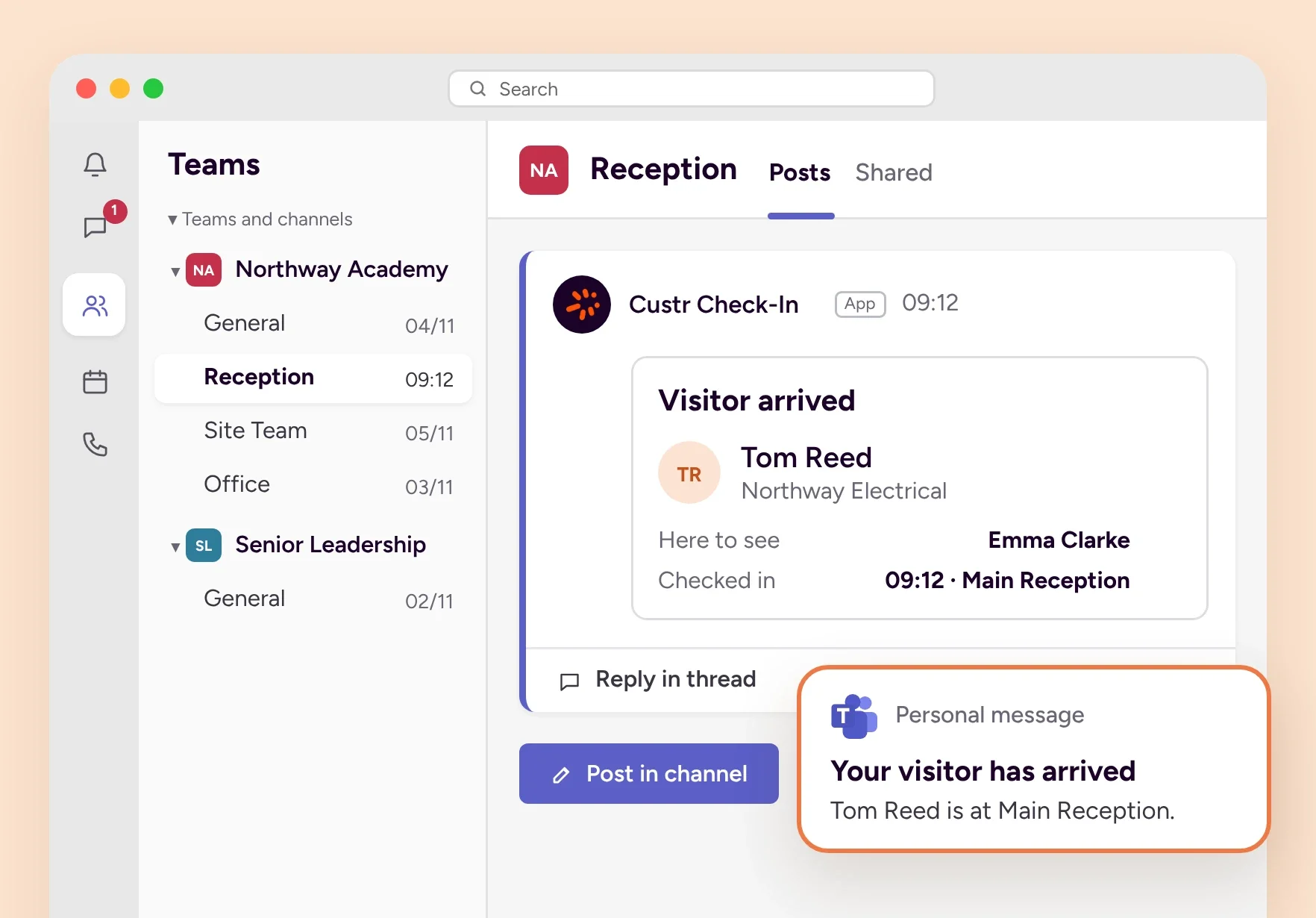
Visitors are met faster. When someone arrives, their host gets a personal Teams message straight away, in the app they already have open. Reception spends less time phoning round, and visitors spend less time waiting.
The whole team shares the same picture. Post alerts into a shared channel so reception can follow arrivals, or facilities can see when a Custr tablet goes offline, without anyone forwarding emails or passing messages on.
The right people can act sooner. Amber or red Check-In Screening results, raised concerns and Safety Roll Call alerts can go straight to the people who need to respond, so nothing waits in an inbox.
Inboxes stay clearer. Each person can choose to receive their alerts by Teams, email or both, so updates arrive wherever they're most likely to be seen.
Visitors met faster at reception
Alerts where your team already works
Whole teams kept in the loop
Safety and screening alerts seen sooner
Personal messages, channel posts or both
Works alongside email and app alerts
Microsoft Teams integration is only available with Support Plus. Personal Teams messages also need the Microsoft 365 integration.
Coming soon · Custr Check-In
Geofencing staff check-in.
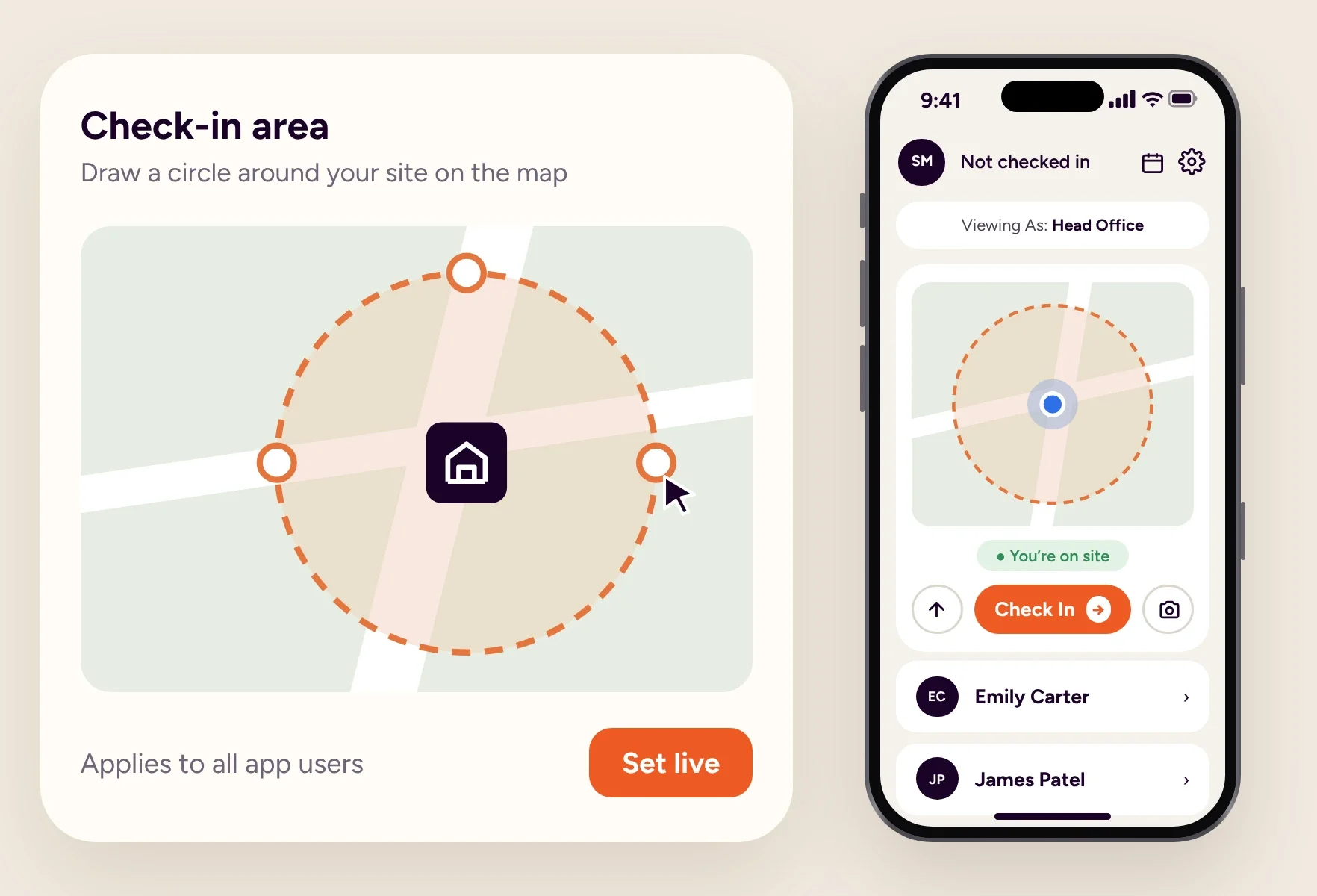
Simply draw a radius around your site in your Custr dashboard and it applies to every Companion App user automatically. The Check In button and staff QR code in the app will then only appear when staff are within the radius, so no one can check in from home.
Set up once in the Custr dashboard
Applies to all Companion App users
Check In and QR only show in radius
More accurate fire roll calls
No checking in from home
Professional, Care and Education
Geofencing will be included in Professional, Care and Education Edition licences for Check-In. Full details on Geofencing will follow soon.
Coming soon · Custr Forms
Digital forms software.
Most workplaces we speak to still use a mix of paper, Word and PDF forms, each managed and stored in different ways across different departments.
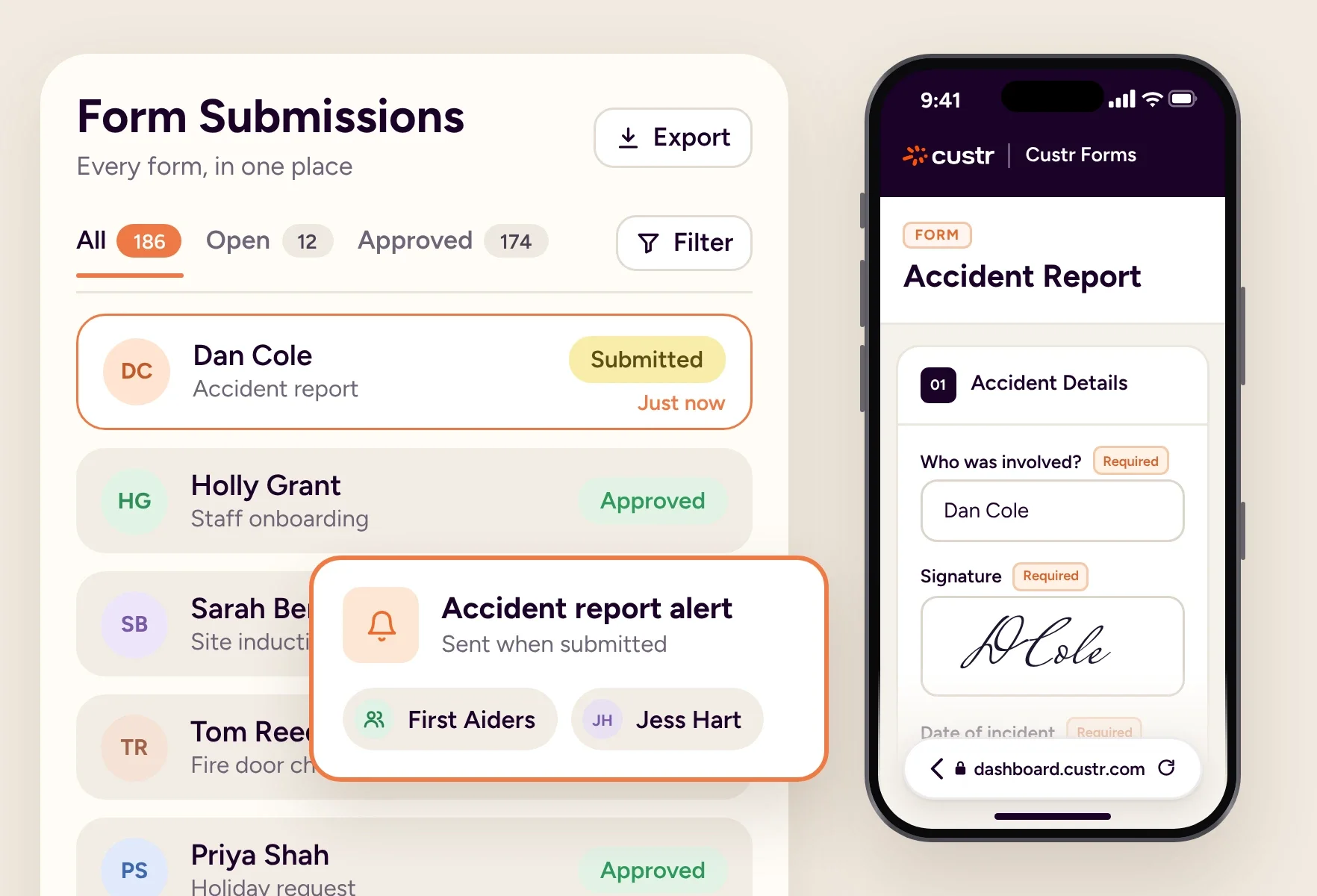
Upload your forms to Custr and turn them into digital forms in seconds. Send forms by email, let staff fill them in on the Companion App and alert staff when a form is submitted. Every submission is stored in one central place for your team to access at any time.
Upload paper, Word and PDF forms
Branching logic for smarter forms
Alert staff when a form is submitted
Assign forms and track statuses
Access any completed form in seconds
Optional digital signatures
Custr Forms will be a paid add-on, and we'll share more details and pricing soon.
Coming soon · Custr Central Record
Central record software.
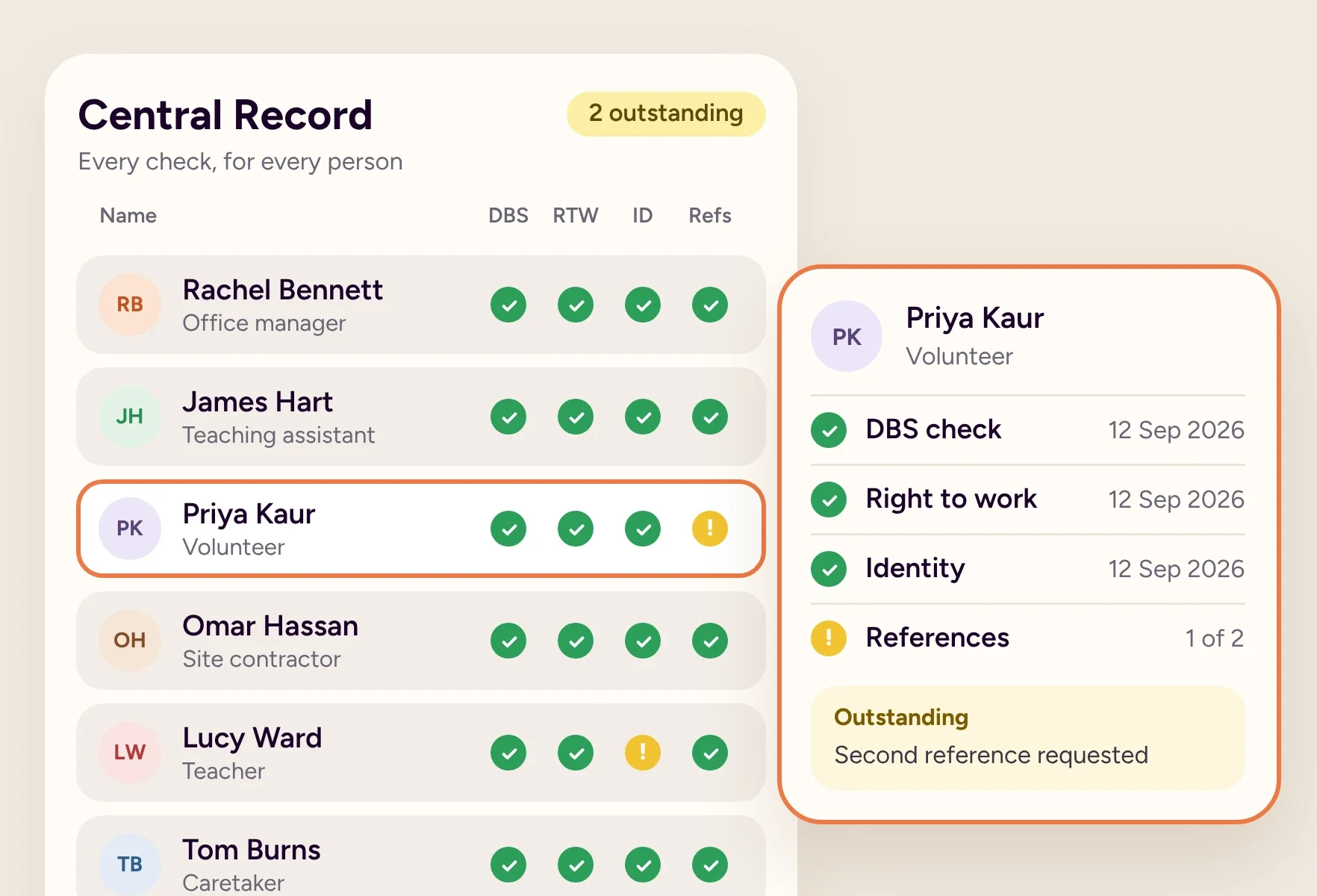
We're building Custr Central Record to replace the spreadsheets most workplaces still use for compliance. Every check, document and expiry date for your staff, contractors, agency staff and volunteers will sit in one secure place.
DBS, right to work and training
Expiry dates tracked automatically
Reminders before checks expire
See overdue checks at a glance
Ready for inspections and audits
Replaces compliance spreadsheets
Custr Central Record will be a paid add-on, and we'll share more about features and pricing over the coming months.
If you have any questions about the above, please email our support team at support@custr.com.